From browsing to built
The same three stages every guide follows, whether it is an 18-step starter house or a 500-step Japanese house.
-
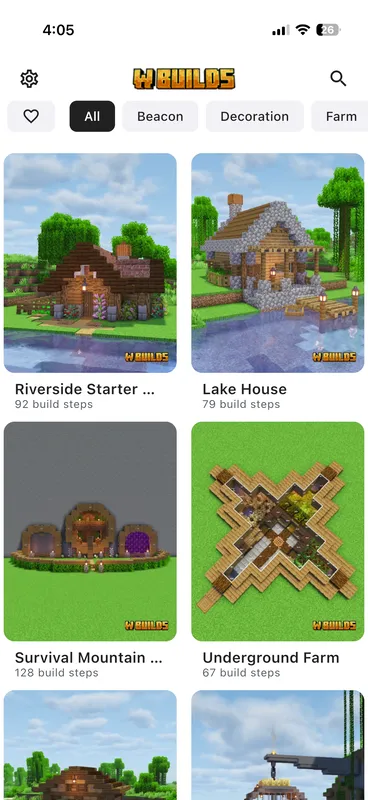
Pick a Build
Browse 550+ tutorials organised by category and difficulty: houses, farms, castles, redstone contraptions, decorations and interiors.
Every build is labelled Easy, Medium or Hard and shows its step count up front, so you know what you are committing to before you open it.
Most people start with the Minecraft house tutorials or go straight to the Minecraft castle tutorials.
-
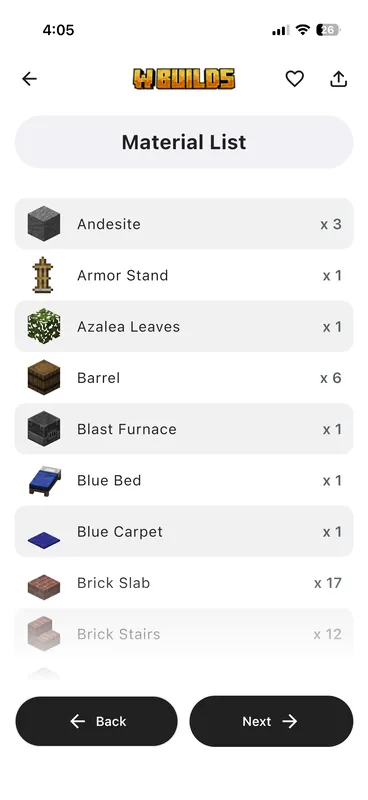
Gather Materials
Get the full material list with exact quantities before you place a single block.
The list covers every block in the finished structure, with its count: foundation blocks you never see again, interior furnishings, and the fences, lanterns and flower pots that usually get missed.
-
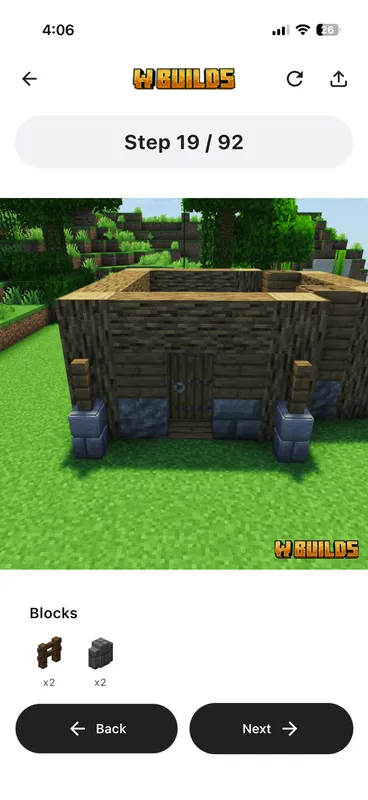
Build Step-by-Step
Follow one numbered step at a time, each showing exactly which blocks go where.
A step places a handful of blocks at a time, so nothing is ever ambiguous. Each one is a clear image of the placement with the blocks it needs listed beside it, and you move forward and back at your own pace. Progress saves automatically, so close the guide mid-build and you resume on the same step.
What a step actually looks like
The format is closest to a LEGO instruction booklet. Each step is a discrete visual showing the blocks to place and their position relative to what you have already built, rather than a moment in a video you have to catch. That difference is the whole point: a video plays at the creator's pace and a step waits at yours.
Steps are small on purpose
A few blocks per step keeps every instruction unambiguous. It also means a guide's step count is a genuine measure of size: an 18-step starter house really is a fraction of a 500-step house, so the number on a build card tells you how long an evening it is.
Progress is saved for you
Building rarely happens in one sitting. Your position in a tutorial is stored as you move through it, so closing the app and coming back tomorrow puts you on the step you left, with the material list still filled in.
It keeps working without a connection
In the app, opening a guide while online keeps its step images, material list and instructions on your phone, so it works without a connection: on a long session, while travelling, or anywhere the Wi-Fi is unreliable. The web version needs a connection.
The same steps work on every edition
Guides are written for Java Edition, Bedrock Edition and Pocket Edition. A handful of farms are edition-specific, and those say so in their name.
Start with a build you like
The catalog is browsable in your browser right now: 550+ guides, filterable by category and difficulty.